Notion AI: The All-in-One AI Workspace for 2026
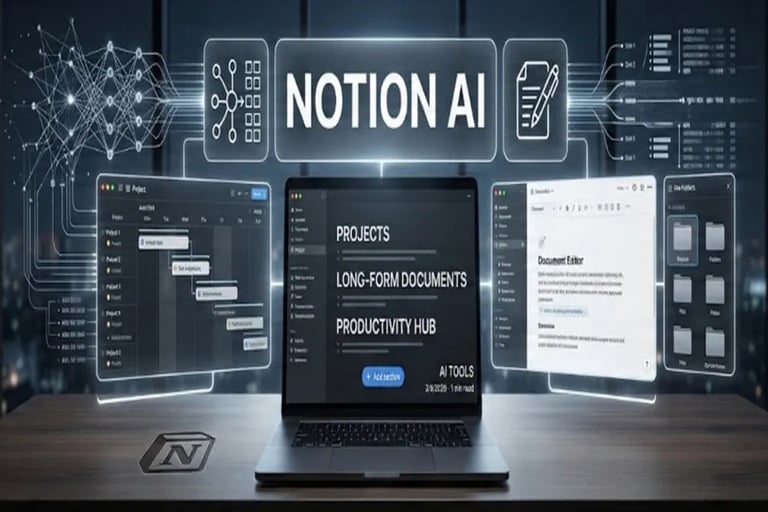
From managing projects to writing long-form documents, Notion AI is the ultimate productivity hub. See how it turns chaos into clarity.
AI TOOLS
3/5/20262 min read
Notion AI in 2026: Building the Ultimate Digital Second Brain for Modern Professionals
In 2026, working hard is no longer just about completing tasks—it’s about managing complex flows of information. As modern workflows become increasingly fast-paced, professionals, teams, and students are struggling to keep up with messy notes, endless project boards, and scattered research.
Enter Notion AI: the premier productivity tool transforming how we organize work and personal knowledge in one seamless workspace.
Unlike conventional AI tools that require switching between multiple browser tabs, Notion AI is embedded directly into your pages, tables, and databases. It functions as an active "second brain," connecting your thoughts, data, and daily operations effortlessly.
What Makes Notion AI Different from Other AI Tools?
While traditional AI chatbots generate isolated responses, Notion AI leverages the existing context inside your workspace to deliver highly relevant output. Here is how it stands out:
1. Context-Aware Writing
Because Notion AI lives inside your personal docs, it understands what you are working on. You can simply highlight a rough meeting note and command the AI to "Turn this into a project task list." It executes the task instantly without requiring repetitive background prompts.
2. Instant Summarization
Facing a dense 20-page project brief or extensive research paper? Notion AI condenses massive documents into concise key takeaways in seconds, eliminating manual skimming and saving valuable hours.
3. Integrated Database Queries
Querying your own internal data has never been easier. By asking natural questions like "Show me all pending tasks for the marketing project," Notion AI scans your custom databases and extracts actionable answers instantly.
4. An On-Demand Brainstorming Partner
Overcome "blank page syndrome" with ease. Whether you need to draft client emails, outline blog posts, or structure an upcoming content calendar, Notion AI jumpstarts your creative process with tailored suggestions.
Who Needs Notion AI in 2026?
Notion AI is designed to adapt to a wide variety of workflows and professional demands:
For Teams:
Streamlines documentation, aligns project statuses, and consolidates team communications into one synced hub.For Freelancers:
Simplifies client management, contract drafting, invoicing, and timeline tracking.For Students:
Organizes lecture notes, structures academic research, and keeps track of semester assignment deadlines.
Pro Tip for Maximum Productivity: Focus on Structuring
To get the most value out of Notion AI, move beyond simple text drafting and use it for information structuring.
When faced with a messy brain dump, highlight the chaotic text and ask Notion AI to:
"Organize into a structured table"
"Create a professional project outline"
"Extract key action items and assign deadlines"
This simple shift bridges the gap between chaotic thinking and immediate execution.
Conclusion: Declutter Your Workflow Today
Notion AI is more than just a writing assistant—it is a comprehensive productivity multiplier. By drastically reducing the friction between thinking and doing, it enables you to spend less time managing files and more time delivering results that move the needle.
If your goal in 2026 is to declutter your digital workspace and build a reliable second brain, Notion AI is the best place to start.
Frequently Asked Questions (FAQs)
Q1: How is Notion AI different from ChatGPT?
While ChatGPT operates in an isolated browser window without direct access to your notes, Notion AI is directly integrated into your personal files, tables, and databases, allowing it to leverage context from your workspace.
Q2: Can Notion AI query my custom databases?
Yes, you can ask Notion AI natural language questions to search, filter, and summarize data stored in your Notion tables and databases.
Q3: Can Notion AI help organize unstructured notes?
Absolutely. Using prompt commands like "Organize into a table" or "Create an outline," Notion AI instantly transforms unstructured brain dumps into organized plans.